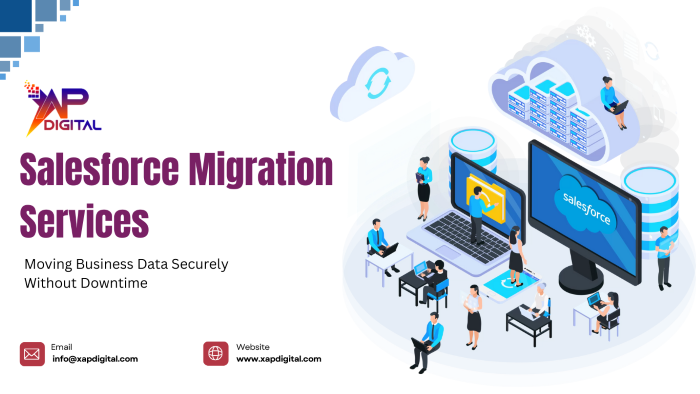
The foundation of any business is data. Customer records, sales history, service interactions and operational data are all important in day-to-day decision making. When companies choose to switch to Salesforce, the question of how to transfer this information without interfering with the business is among the largest. This is where Salesforce migration services come into play whereby organizations can transfer business data safely and still continue to do so.
A careful migration process ensures that there is accuracy in the data that the system will not go offline, and that teams will not be disconnected in the process.
Why Data Migration Is a Critical Business Decision
Migration of Salesforce is not merely a technical practice; it is a business level practice. Inadequate migrations may result in information loss, system failures, and customer distrust.
Businesses often worry about:
- Data integrity during transfer
- Downtime affecting daily operations
- Incomplete or inaccurate records
- User confusion after migration
- Security risks during data handling
Addressing these concerns requires a structured and carefully managed migration strategy.
Understanding the Scope of Salesforce Data Migration
Salesforce migration is not merely a system-to-system data transfer. It entails planning, validation and testing in addition to team coordination.
A complete migration typically covers:
- Customer and account data
- Sales and service history
- Activity and communication records
- Custom objects and fields
- User roles and permissions
Understanding the full scope helps businesses prepare and avoid surprises during execution.
Planning Migration to Avoid Business Disruption
One of the largest threats in data migration is downtime. The teams might lose access to important information in business hours without proper planning.
Effective migration planning focuses on:
- Assessing existing data quality
- Defining migration timelines
- Scheduling migrations during low-impact windows
- Communicating clearly with users
- Preparing rollback plans if needed
This planning phase lays the foundation for a smooth transition.
Ensuring Data Accuracy and Consistency
Moving irrelevant or misplaced information to Salesforce can weaken the value of the new system. Data cleansing is required prior to the actual process of migration.
Key data preparation activities include:
- Removing duplicate records
- Standardizing data formats
- Validating required fields
- Mapping old data structures to Salesforce
Clean data ensures users trust the system from day one.
Maintaining Security during Data Transfer
Business data usually contains sensitive customer and financial data. Migration processes need to be concerned with security throughout.
Secure migration practices include:
- Controlled access to migration tools
- Encrypted data transfer
- Role-based permissions
- Audit logs for migration activities
These measures protect data integrity and reduce compliance risks.
Minimizing Downtime with Phased Migration Approaches
A one-time massive migration is not feasible to many businesses. The gradual migration methods enable data to be transferred progressively without disrupting the operations.
Phased migration helps by:
- Reducing system downtime
- Allowing teams to continue working
- Testing data accuracy in stages
- Addressing issues early
This approach is especially valuable for organizations with large or complex datasets.
Testing Before Go-Live
Testing is one of the necessary measures to make sure that migrated data functions as intended in Salesforce. Problems can be revealed only when users start their work in the system without proper testing.
Testing activities include:
- Data validation checks
- User acceptance testing
- Workflow and automation testing
- Reporting accuracy verification
Testing reduces risk and builds confidence before the final cutover.
Adapting Salesforce to Match Business Needs after Migration
After the data is migrated, Salesforce needs to be adjusted to the work of the actual teams. This is where Salesforce Customization Services comes in.
Customization helps businesses:
- Align workflows with business processes
- Configure automation and validations
- Optimize page layouts and user experience
- Ensure reporting reflects real business metrics
Customization ensures migrated data is used effectively rather than just stored.
Supporting Teams During and After Migration
A technically successful migration may fail when users are not ready. The process should be supported and properly communicated.
User support includes:
- Training on new Salesforce interfaces
- Guidance on accessing migrated data
- Addressing user concerns quickly
- Continuous feedback and optimization
This helps teams adapt smoothly without productivity loss.
Post-Migration Optimization and Ongoing Support
Migration is not a definitive process. Businesses are dynamic and Salesforce needs to keep pace with businesses. Continuous Salesforce Services assist companies in improving their systems with time.
Post-migration support includes:
- Performance optimization
- Feature enhancements
- Data quality monitoring
- Adapting Salesforce to new business needs
Continuous improvement ensures long-term success.
How XapDigital Ensures Secure, Downtime-Free Salesforce Migrations
XapDigital approaches Salesforce migrations with a business-first mindset. Rather than focusing only on technical execution, XapDigital ensures migrations support operational continuity.
XapDigital helps businesses by:
- Planning structured migration roadmaps
- Securing data throughout the process
- Minimizing downtime through phased execution
- Validating data accuracy
- Supporting teams during and after migration
Conclusion
Salesforce migration is an essential process in the digital transformation, and its success is determined by a thorough planning, a safe implementation, and continuous optimization.
Businesses can migrate to Salesforce without introducing disruption to daily operations by concentrating on the accuracy of the data, its security and the lowest downtime.
Visit the XapDigital website to migrate your Salesforce data securely without business disruption.
Frequently Asked Questions
1. Does Salesforce migration cause business downtime?
With proper planning and phased execution, downtime can be minimized or avoided.
2. Is data security maintained during migration?
Yes, secure migration practices protect sensitive business data.
3. Can large datasets be migrated to Salesforce?
Yes, Salesforce supports large and complex data migrations.
4. Is testing required before go-live?
Yes, testing ensures data accuracy and system stability.
5. Does migration include post-launch support?
Yes, ongoing optimization ensures long-term success.
Contact Us
Planning to migrate your business data to Salesforce without downtime? XapDigital helps organizations move data securely and efficiently with proven Salesforce migration strategies.
Contact us today to learn more.